Family Points
A digital chore chart for kids, with points you approve
Family Points is a chore app that replaces the chore and points chart on the fridge. You, the parent, set tasks, your child marks what they did, and once you approve, the points land in the balance and can be spent on a reward. A child with a phone or tablet that can install apps can also add tasks for themselves, and they wait for your approval.
Why we left the chart on the fridge
We had a points chart on our fridge. It worked until the little ones found out they could add points themselves, and suddenly they had impossible totals.
In the app a child marks what they did, but points only land after you approve. The balance is always real, and the kids still see how much they have and how far the next reward is.
Download and get started
Family Points is now available on Google Play, free. Android only for now.
Inside the app
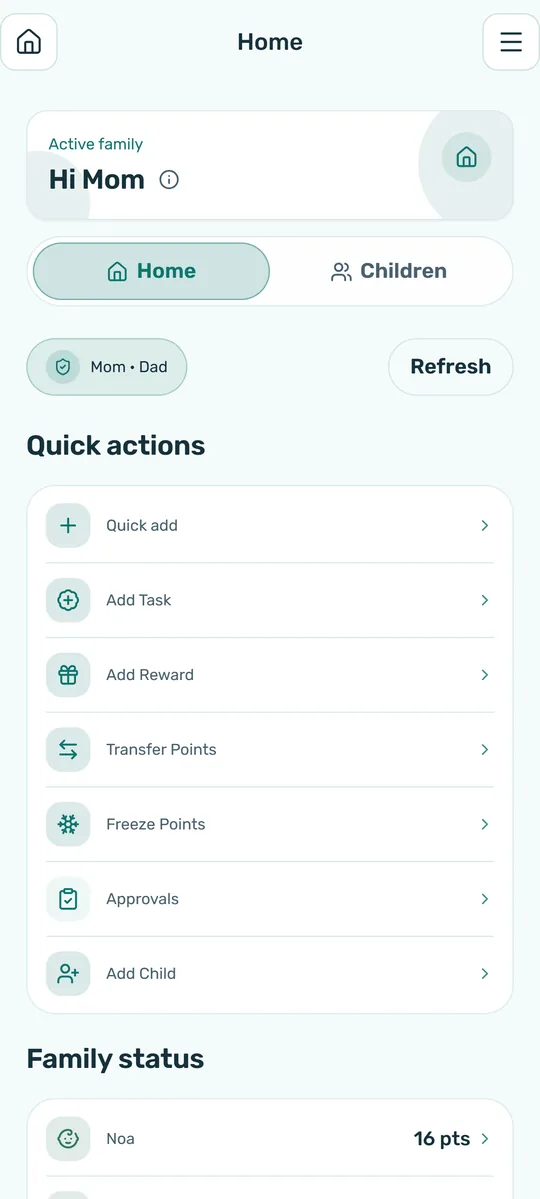
For parents
- Create tasks for the whole family or for one child
- Approve finished tasks and reward requests, one by one or all at once
- Set the rewards children can choose with the points they earned
- Follow each child's balance and history
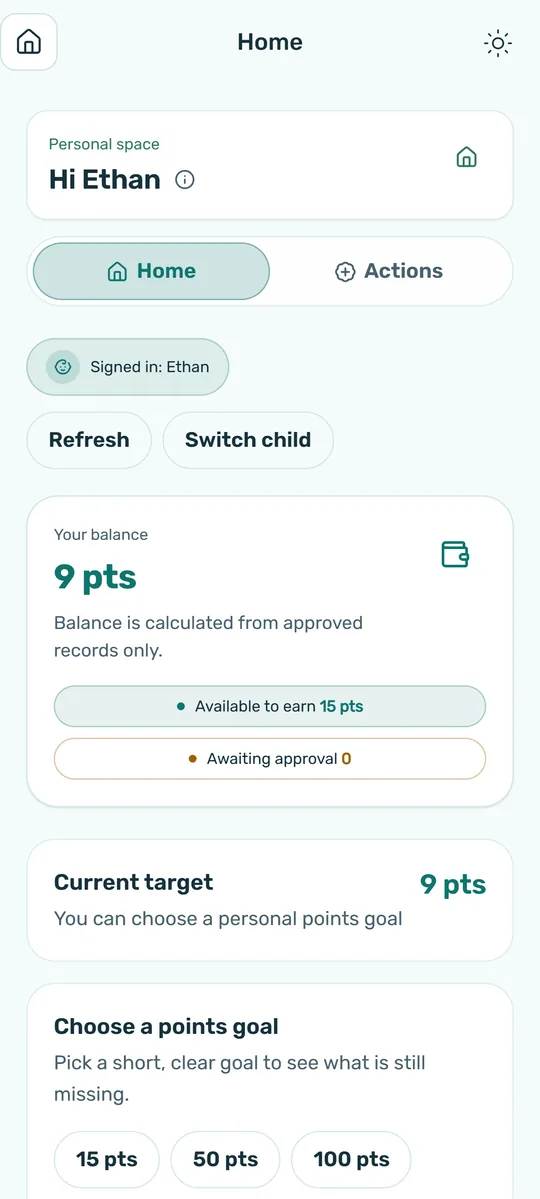
For kids
- See their tasks and mark them done
- See how many points they have and how far the next reward is
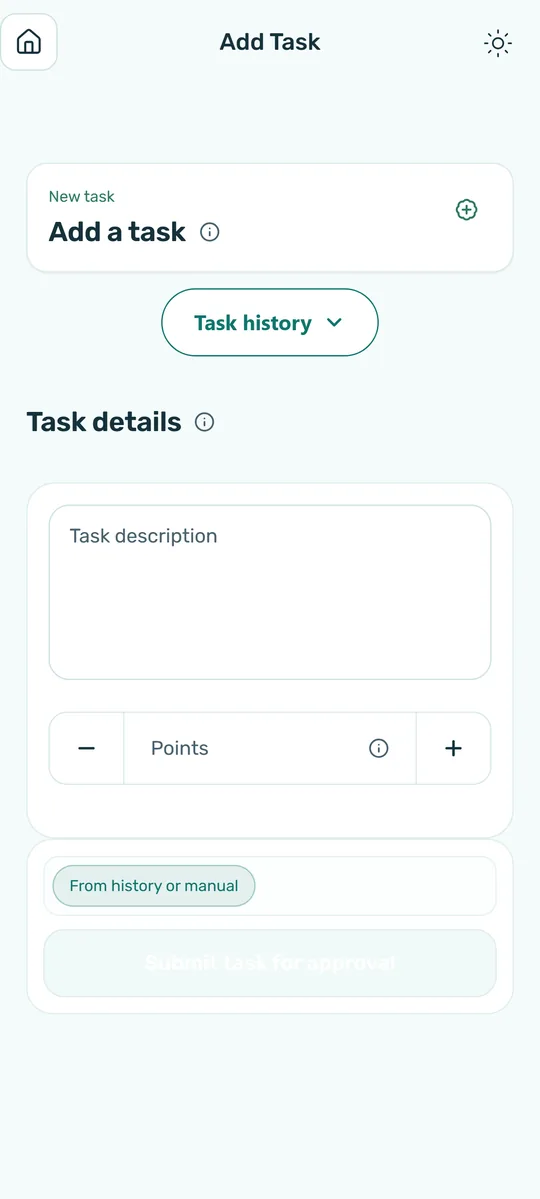
- Add a new task for themselves, on a phone or tablet that can install apps (it waits for your approval)
- Pick a reward and ask a parent for it
- Give points to a brother or sister, with a parent's approval
Points only count after you approve, so the balance always shows what was really done.
Getting started
- A parent opens a familySign up in the app and add the children.
- Link the kids' devicesCopy a token from the family settings and paste it on your child's device. The same token works for every child in the family, and each child signs in with their own name and password.
- Start earningTasks, approvals and rewards, all in one place.
Rather start with a paper chart?
We made a free printable weekly chore chart. When you want points to count only after you approve them, the app is ready.
Questions and answers
How much does it cost?
The app is free. Parent screens show an ad at the bottom, and children never see ads.
Does my child need a phone?
No. You can run everything from a parent's phone, and a child with a device gets their own screen.
Can both parents manage it?
Yes. Invite the other parent with a link and you both see the same chart.
What happens when a child marks a task done?
You get a notification and approve it, sends it back with a note, or declines it.
Can a child add tasks themselves?
Yes, if they have a device that can install the app. A task a child adds waits for your approval before it joins the list.
Can a child add points to themselves?
No. Points only land in the balance after you approve the task.
Which rewards should we give?
Every child is different, and what motivates one may not motivate another. What they all share is the feeling of success: when a child sees they did it and someone noticed, they want more. A reward can be time together, choosing dinner, or something small the child picked.
Where can I get it?
On Google Play, for Android only for now.
What happens to our data?
The data belongs to your family only, and you can delete the family and all of its data from inside the app.
Warm words on parenting
- Every child wants to succeed. Our job is to help them see that they do.
- Children hear what we do more than what we say.
- What gets noticed and praised, grows.
- Everyone's home, and everyone's help.
- It's hard to hear "well done" when all day you hear "why not yet".
- A child's small step is a big step for the home.
The Sun and the Wind
The Sun and the Wind once argued about who was stronger. They saw a man in a coat and agreed: whoever gets him to take it off, wins.
The Wind blew harder and harder, and the man only held his coat tighter. Then the Sun shone quietly and warmed him, and the man took the coat off by himself.
Children are the same: pressure and shouting make them resist, and warmth and recognition make them want to help. That's why we built a chart that notices every bit of help, even the smallest.